

As mentioned before, our API offering is tailored to the customers of each DHL Group Division. Once you have become a customer and identified your DHL division, or sub-division, you will be ready to browse the API Catalogue!
I'm already a DHL Customer. Where can I find my DHL Customer Credentials?
We will regularly ask for your DHL Shipping Account Number.
You can usually find this number on your invoices. Please note that DHL uses several different identifiers, such as contract number, invoice number, and shipment tracking number—none of these is the Shipping Account Number.
If you’re unsure which number to provide, please contact your DHL Account Manager for assistance.
Identify the DHL Group Division related to your business
The DHL Group is composed of 5 main Divisions:

Express:
- Transport urgent documents and goods reliably and on time from door to door.
- Discover Express APIs.
- Read more about the DHL Express division.

Global Forwarding, Freight:
- International air and ocean freight, as well as European overland transportation services.
- Discover Global Forwarding APIs.
- Discover Freight APIs.
- Read more about the DHL Global Forwarding, Freight division.

Supply Chain:
- Standardized warehousing, transport, and value-added services that can be combined to form customized supply chain solutions.
- Discover Supply Chain APIs.
- Read more about the DHL Supply Chain division.

eCommerce:
- The core business is domestic parcel transport in selected countries in Europe, the United States, certain countries in Asia (in particular in India), as well as deferred cross-border services. The eCommerce division has many sub-divisions; be mindful of the applicable regional market when browsing APIs.
- Discover eCommerce APIs.
- Read more about the DHL eCommerce division.

Post & Parcel Germany:
- A broad spectrum of mail and parcel services in Germany. Additionally, high expertise in dialogue marketing.
- Discover Post & Parcel Germany APIs
- Read more about the Post & Parcel Germany division.
How to browse the API Catalogue
Our API Catalogue consists of two main elements:
- Filters, located in the left-side panel.
- API Cards, displayed in the center and right sections of the page.
► API CARDS
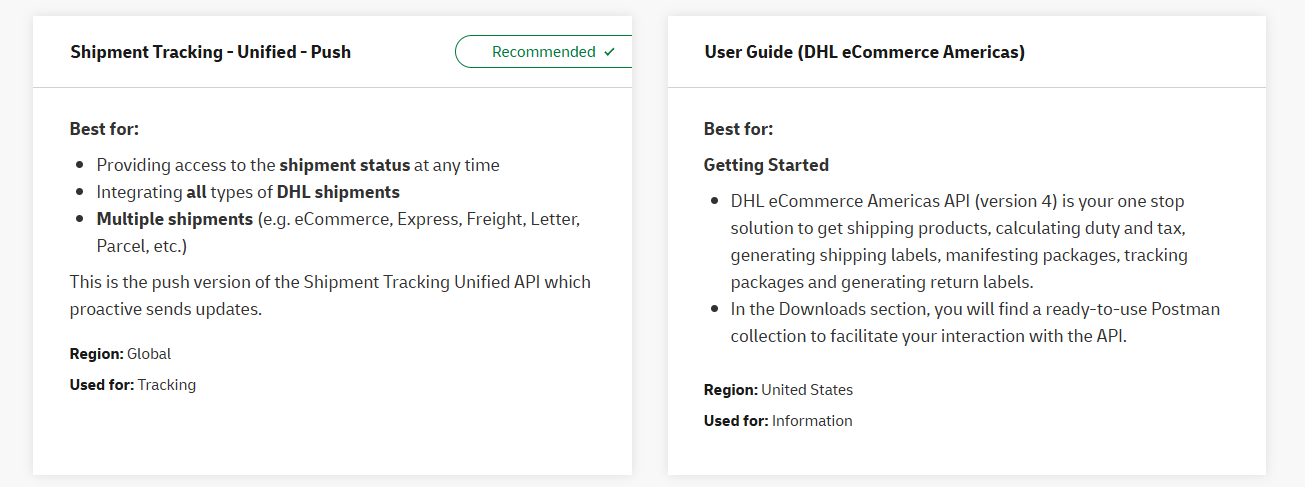
- API titles are displayed at the top of the card.
- A summary of what the API does is described in the "Best for" section.
- APIs that serve more than one DHL Division are marked with the "Recommended ✔" green tag.
- "Region" parameter: Displays the geographical region covered by the API.
- "Used for" parameter: Displays the main service(s) covered by the API. All service values are found on the left in the Filter section.
► FILTERS
Division Filter
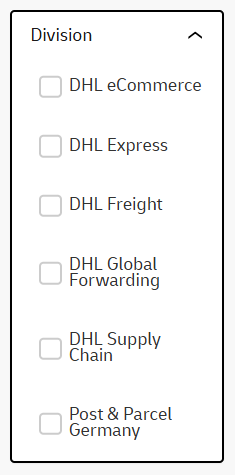
Users can select the DHL Divisions of their choice to find Division-related APIs.
If you are not a customer yet, please refer to the Become a Customer section for better guidance.
If you are a customer but don't know which DHL Division is related to your business, please refer to the section "I'm already a DHL Customer. Where can I find my DHL Customer Credentials?" in the upper part of this page.
Service type Filter
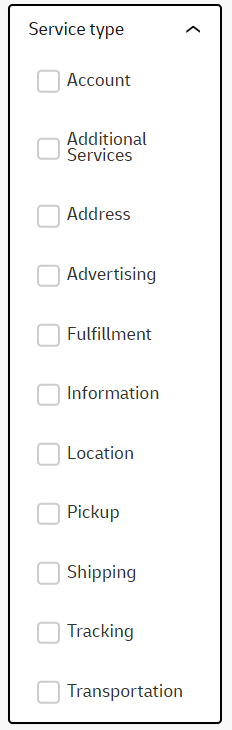
The "Service type" refers to the API's functionality. Below is a brief description of each:
Account: Refers to the management of a customer's account or an API. Authentication APIs are in this category.
Additional Services: Find in this category any service that doesn't belong in the other Service Types.
Address: Related to getting information about geographical addresses and their postal codes.
Advertising: Find APIs designed for advertising. Currently focused on Dialogue Marketing print mailings.
Fulfillment: Associated with the Warehousing industry.
Information: Related to getting DHL products and services information.
Location: Find DHL customer-facing locations information, such as service points, parcel shops, lockers, etc.
Pickup: Associated with the management of picking up a shipment.
Shipping: Related to the process of creating shipment orders and labels.
Tracking: Trace where a shipment is, and get new event updates.
Transportation: Associated with the transportation management of shipments.
Region filter
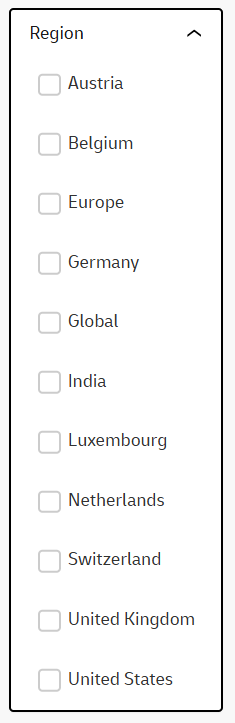
The Region Filter allows you to select one or more markets from a list of options displayed as checkboxes once you click on the "Region" button. Please note that not all territories, countries, or continents are included. Each API is associated with specific markets, and only those relevant markets will appear in this list.
For example:
Austria
Selecting Austria will display the DATAFACTORY AUTOCOMPLETE 2.0 API, which is available only for Austria, Germany, and Switzerland. This means the API’s functionality is limited to these countries.
India
Selecting India will show the Blue Dart APIs, which are designed for DHL’s e-commerce operations in India.
Global
Selecting Global will display APIs intended for worldwide use. However, this does not guarantee compatibility with every country or territory. It simply indicates that the API’s scope is broader than a single continent or a small set of countries.